
Portfolio structure
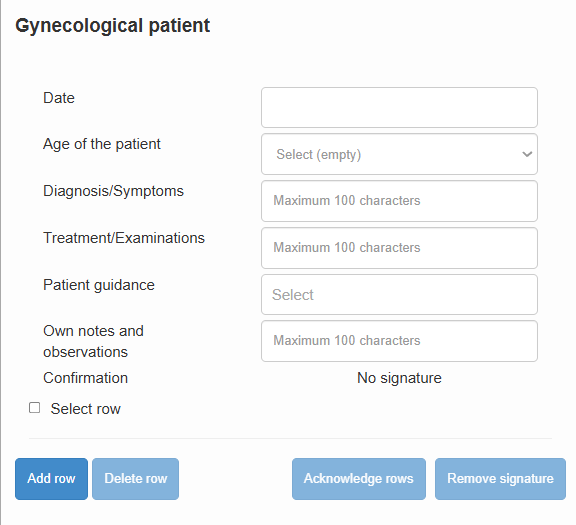
Entries are recorded in a table-based user interface. The table contains data fields related to each completed task or case, which may include multiple-choice selections, calendar entries, or free-text fields.
At the top of each page, there are instructions for making entries. These instructions are specific to that page and help guide users in completing it correctly.
The entries on each page are organized into rows, each containing predefined data fields for recording a task or case. The number and type of fields vary between pages, but they may include the following:
Multiple-choice field:
If information is selected from several options, clicking the field opens a drop-down menu. Examples of such information include the training placement or the type of supervision situation, which are selected from a limited set of alternatives.
Date:
Dates are selected from a calendar that opens when the field is clicked. The date may indicate, for example, when a case occurred.
Number:
Information can be entered in numeric format. Numbers are typed using the keyboard in the same way as text. Numeric data may include, for example, the patient’s age.
Free-text field:
Information can also be entered as text in free-form fields. The number of characters is limited, so it is recommended to use clear sentences and common abbreviations whenever appropriate.