

Signing Off Completed Activities
Activities recorded in the portfolio can be signed off by either clinical supervisors or teachers.
The sign-off process is completed on the student’s mobile device.
1. Select the row or rows that you wish to sign off.
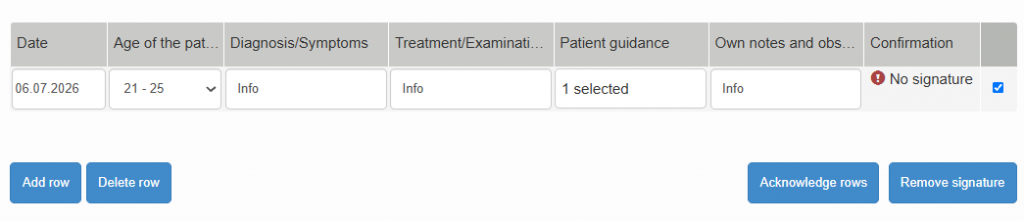
2. Choose either Clinical Supervisor or Teacher as the signatory, according to your role.
3. Review the privacy notice and provide consent for the storage of your name and signature in accordance with the notice.
4. Add your signature in the designated signature field and enter your full name in the Enter Signatory Name field.
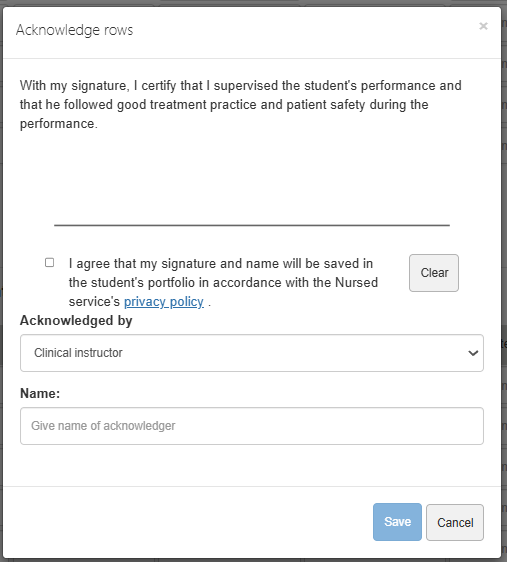
Once the sign-off has been saved, the selected entries will be marked as approved and linked to your signature and name. This verification confirms that the recorded activity, skill, or competency has been reviewed and completed as required.