

Instructions for teachers
Linking Your NursED Account to Workseed
NursED portfolios can be used independently with a separate user account. However, if you already have a user account for the Workseed learning environment, you can link the two accounts and access your NursED portfolio directly through Workseed.
You can link your accounts after registration in the My Account settings. Please note that account linking can only be completed while logged in with your Workseed credentials, not with your NursED credentials.
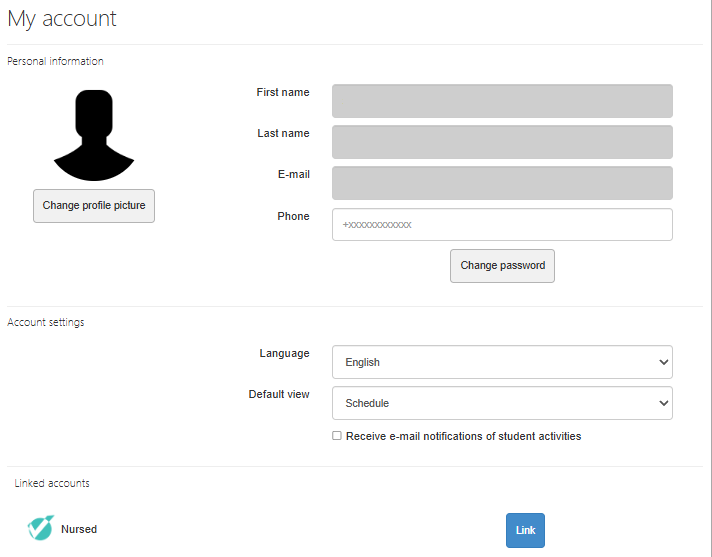
To link your accounts:
- Log in to Workseed.
- Open the My Account page.
- Scroll to the bottom of the page, where you will find the NursED account section.
- Click Link.
- Enter your NursED account login credentials.
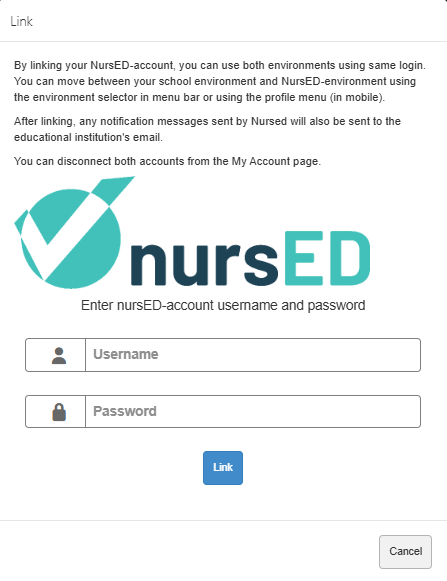
If necessary, you can also remove the link from the same view.
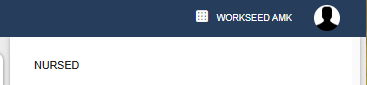
Once the accounts have been linked, you can access NursED portfolios through Workseed by selecting “NursED (linked)” from the environment menu displayed on the left side of the My Profile page.