
Link Your NursED Account to Workseed
NursED portfolios can be used independently with a separate login, but if you already have a user account in the Workseed learning environment, you can link the accounts and use the NursED portfolio directly through Workseed.
You can link the accounts after registration in the “My Account” settings. Note that you can only link the accounts by logging in with your Workseed credentials, not your NursED credentials.
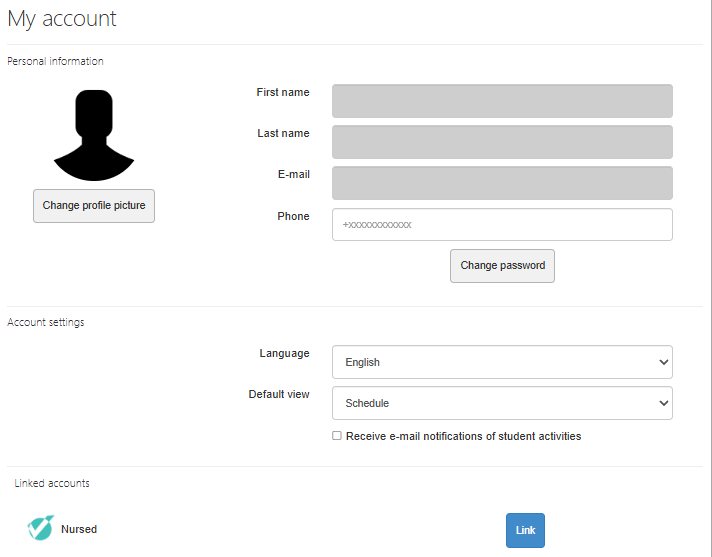
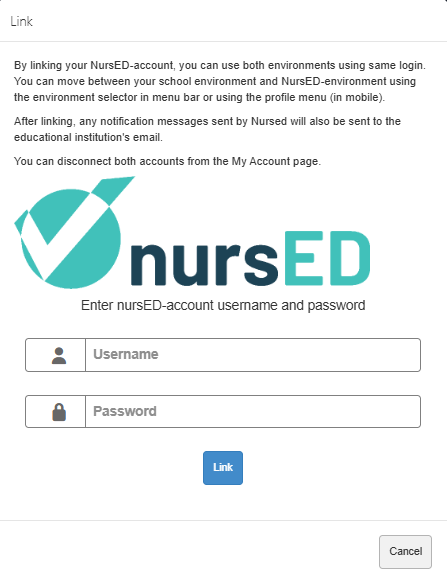
You can find the NursED account section at the bottom of the “My Account” view. Click “Link” and enter your NursED account login details. If needed, you can also unlink the accounts from the same view.
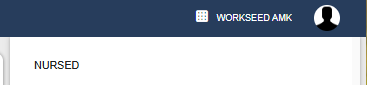
After linking, you can access NursED portfolios from Workseed by selecting “Nursed (linked)” from the environment menu on the left side of the “My Profile” page.