
Adding a teacher
A student can invite their teacher to follow their portfolio. Once invited, the teacher can monitor the entries made in the portfolio in real time, confirm them (similar to clinical supervisors), and provide feedback.
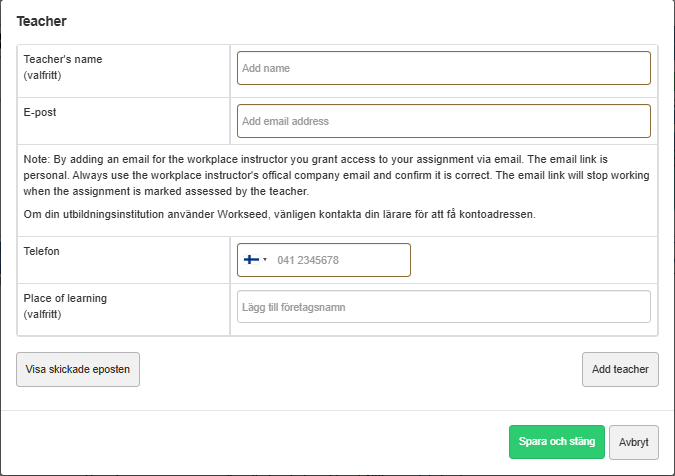
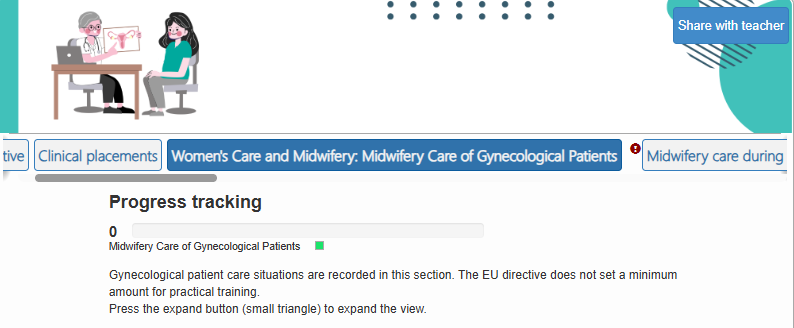
The teacher is added to a specific portfolio. Open the portfolio, and at the top of the view, you will see a button labeled “Share with Teacher”. Click the button and enter your teacher’s name, email address, phone number, and the official name of the educational institution in the window that opens.
An email address is sufficient for sharing, but we recommend adding all the details.
If your institution uses Workseed, confirm the teacher’s account address with them.
You can remove a teacher’s access to your portfolio at any time.
The teacher will then receive an email notification. By clicking the link in the email, they will gain access to the portfolio.